How to self host web analytics (Umami) on render.com ?

Photo by path digital on Unsplash
I recently registered my domain from go daddy and deployed it on render. In my previous post, I discussed the free options we have after Heroku ended their free tier. That discussion would be for some other day when I am digging deep into why I choose to render over the other two. Let’s get back to hosting analytics.
We have a new boi on the block that goes by the name umami. It’s an open-source project which we can self-host anywhere we want. They have some options listed on the website where we can host but that doesn’t limit us to choosing a provider.
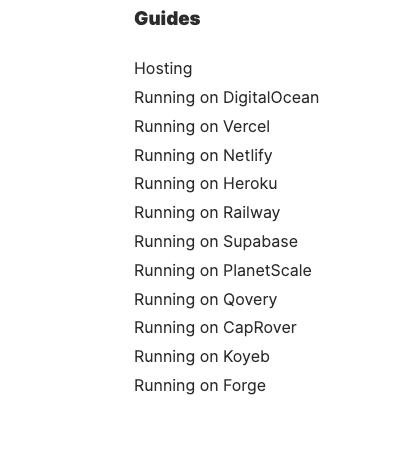
I started with Railway and saw a couple of youtube videos to see how to host and read the docs but it was consistently failing for me. I also found an open issue, and someone has provided a solution in the comments. But the comment above caught my eye as he had deployed it on render and my app is hosted on the same platform. I thought I would give it a try and see if it works. Oh boy, it works like a charm.
To give you a bird's eye view it uses a YAML file to deploy services on its platform. You can consider this IAC ( Infrastructure as Code) format. If you have written a docker-compose file it's very similar to that you specify what we want and it will handle the deployment for you. In render, they call it a blueprint. More information can be found here. Looking at these options we can do a lot of stuff in render which seems very promising. I wish to explore more options like cronjobs, and background and see how they work. Once I do I will definitely write about it.
Go to the render dashboard and you would see the service deployed. Go to the URL and log in with the default username (admin) and password (umami). It is recommended to change the password from the Accounts->profile. Click Websites and then Add a website. Once you have completed the form it would generate a script tag that we need to include in our code. If you are using react code then update that in index.html. Here is the link to my website’s analytics. Yes, we can create a shareable link of analytics as well. If we have a big project and we want to display it on the TV it does it for you. Just a thought that came to mind while writing this.
Conclusion:
Deploying and using Umami on render was very smooth and easy to use. One difference from railway which I noticed was railway has a query interface for DB which we don't have on render. If we want to look at the data we need to connect it through some external client, it's not a major thing but worth noticing. If you like my content do give me a follow and do leave your thoughts in the comment. Happy coding.